
MCP
Dieser Inhalt ist noch nicht in deiner Sprache verfügbar.
Feedigy has an MCP server. MCP (Model Context Protocol) lets an AI tool, such as Claude, work with your Feedigy account. The AI tool can read your feeds, posts, Auto-Publishers, channels and plan usage. It can also create Original Feeds and draft posts, but only after a confirm step.
The MCP server uses the same tokens and limits as the API.
Connect an AI tool
Section titled “Connect an AI tool”- In Feedigy, open Settings → API and create a token. Tick only the abilities the AI tool needs (see Tools). You can also set an expiry date. Copy the token: Feedigy shows it once.
- In your AI tool, add an MCP server with these settings:
| Setting | Value |
|---|---|
| URL | https://api.feedigy.com/mcp |
| Transport | Streamable HTTP |
| Header | Authorization: Bearer <your token> |
For example, in Claude Code:
claude mcp add --transport http feedigy https://api.feedigy.com/mcp --header "Authorization: Bearer <your token>"The AI tool must be able to send a bearer token header. Feedigy does not use an OAuth sign-in for MCP.
Tool names contain dots, such as feed.items. Some AI tools change them. Claude Code, for example, shows feed.items as mcp__feedigy__feed_items. The tools work the same way.
The API tab in Settings appears when API access is on for your account.
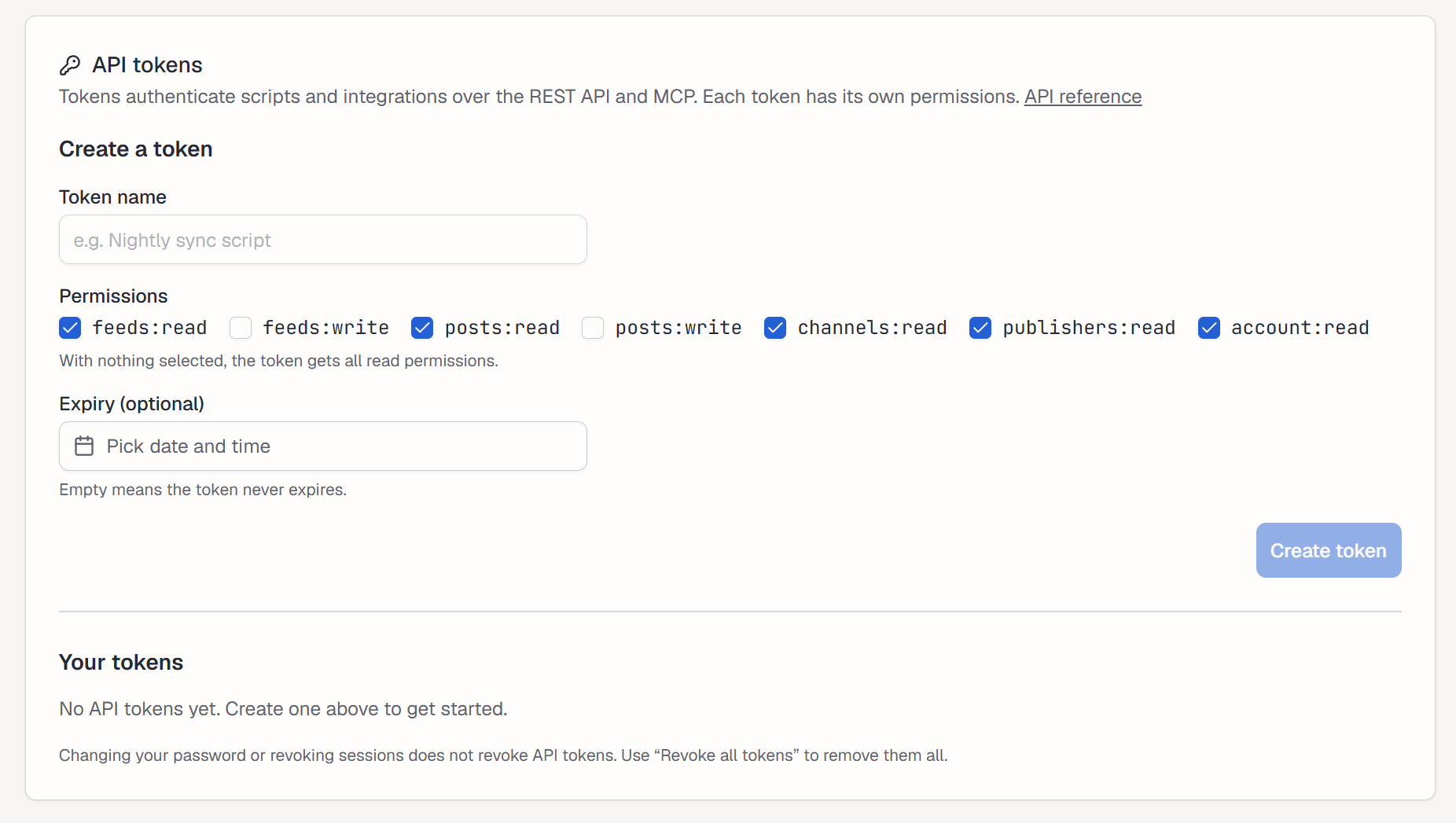
The AI tool sees only the tools that its token’s abilities allow. A token with all read abilities sees 11 tools. A token with all abilities sees 14. If you do not tick any ability, the token gets all read abilities, so it cannot create anything.
| Tool | What it does | Ability |
|---|---|---|
my_content.search | Search your feeds by title, description, type, status or tag. | feeds:read |
feed.summary | Summarize one feed. | feeds:read |
feed.items | List the content of one feed. Original Feed posts also need posts:read. | feeds:read |
tag.list | List your tags and how often each is used. | feeds:read |
post.get | Read one stored post. | posts:read |
auto_publisher.list | List your Auto-Publishers with status, schedule and last result. | publishers:read |
auto_publisher.show | Show one Auto-Publisher with its feeds and schedule. | publishers:read |
auto_publisher.logs | Show the recent run log of one Auto-Publisher. | publishers:read |
channels.list | List your connected channels. Never shows channel passwords or tokens. | channels:read |
account.usage | Show your plan, credit usage and plan limits. | account:read |
original_feed.create | Propose a new Original Feed. After you confirm, the feed is active. | feeds:write |
compose.create_draft_post | Propose a draft post in one of your Original Feeds. | posts:write |
feedigy.confirm_action | Confirm a proposal. | the ability of the proposed tool |
feedigy.action_status | Show the status of a proposal. | the ability of the proposed tool, or its read version |
The MCP server cannot publish, delete, run an Auto-Publisher or use AI credits. To do those things, use Feedigy itself.
Create feeds and draft posts: propose, then confirm
Section titled “Create feeds and draft posts: propose, then confirm”A write takes two steps, so nothing is saved by mistake.
- Propose. The AI tool calls
original_feed.createorcompose.create_draft_post. Feedigy saves nothing yet. It returns the statusproposed, anaction_run_idand anexthint that namesfeedigy.confirm_action. - Confirm. The AI tool calls
feedigy.confirm_actionwith thataction_run_id. Feedigy creates the feed or the draft post and returns it.
The AI tool confirms with the same token that proposed. Feedigy does not ask you in between. Give a token the write abilities only to an AI tool that you let make this change by itself.
Rules:
- A proposal expires after 24 hours. Confirm it before then.
- Each propose call needs an
operation_key: 1–255 printable ASCII characters that the AI tool chooses. If the AI tool sends the same request again with the same key, Feedigy returns the same proposal. The same key with a different request is refused. - If the AI tool confirms the same proposal twice, Feedigy creates one feed or post and returns the same result both times.
- The confirming token needs every ability the proposed tool needs. A read-only token cannot confirm.
feedigy.action_statusshows the status of a proposal:proposed,running,completed,failedorcancelled. It never shows the original request.
Feeds count toward your plan limits. If you reached your feed limit, the confirm step tells you so and creates nothing.
Limits and security
Section titled “Limits and security”- MCP calls share the per-account rate limit with the API. See API Policies.
- Feedigy removes passwords and secret-looking parameters (for example
api_keyortoken) from links that the MCP server returns. - To stop an AI tool, delete its token in Settings → API. Its next call is refused.
- Supported MCP protocol versions:
2025-06-18,2025-11-25and2026-07-28.
Keep posting through busy weeks
Set sources, keywords and posting hours once. Feedigy posts to your channels while you work on other things.
No card required. The Free plan has no time limit.