























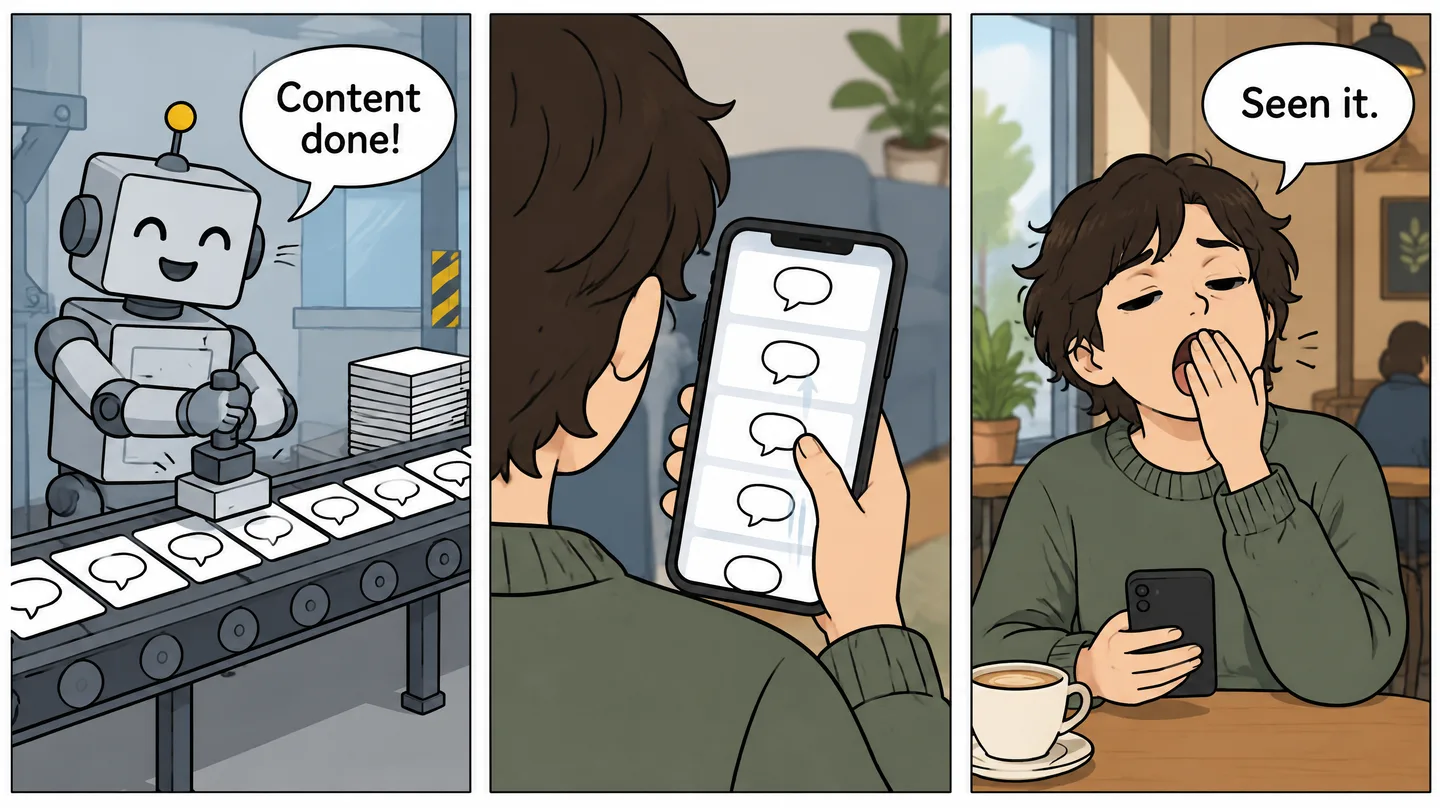
It's 4:40 on a Thursday. The scheduler is about to post a LinkedIn caption for a bookkeeping client, and the first line reads "In the fast-paced world of accounting, staying ahead matters more than ever." Nobody has read it since the model wrote it at 9 this morning.
The fix is a set of quality gates inside your AI content workflow: six checks a draft should pass before it publishes. They test specificity, source grounding, repetition, tone, factual accuracy and editorial usefulness. Some run in seconds with a script. Others need a person. This post covers what each check looks for, how to run it fast and what a failure looks like. It doesn't cover which tools to buy.
What does a sloppy draft look like?
Say you run a two-person agency. You turn industry news feeds into LinkedIn posts and a weekly newsletter for one client, Ledger & Pine, a small bookkeeping firm. (Both names are made up, as is PayrollDesk.)
This morning the feed pulled in an announcement from PayrollDesk, a payroll app many of the firm's clients use:
Desktop updates end June 30. After that date, the desktop app gets no new tax tables. Customers can move to PayrollDesk Online or export their employee records.
The model turned it into this:
In the fast-paced world of accounting, staying ahead matters more than ever.
All payroll software is changing next month, and 73% of small businesses aren't ready. Are you?
At Ledger & Pine, we help businesses stay ahead of change. Staying ahead of change is what we do best.
Don't let payroll changes catch you off guard! Reach out today and let's transform your finances together.
#Accounting #SmallBusiness #Innovation
Nothing in it is offensive or even wrong at a glance. That's why it gets through, and why readers scroll past it.
And readers penalize what they suspect a machine wrote. In a Raptive study of 3,000 US adults, people rated content 48% less trustworthy when they suspected AI wrote it. That figure measures suspicion, and this draft invites suspicion in its first line.
1. Is it specific?
This gate checks whether the post could only have come from this client, about this piece of news.
The fast test: underline every noun. Then swap "Ledger & Pine" for a competitor's name. If the post still works, it fails. A specific post names the thing (PayrollDesk), the date (June 30) and who is affected (anyone still on the desktop app).
❌ The sample fails on almost every line. "Payroll software", "businesses", "change". Any accounting firm in the country could post it unchanged.
2. Is every claim grounded in a source?
This gate checks that every number, date and claim traces back to the feed item or to a link you can open.
The fast test: highlight each number and each factual claim. Next to each one, paste the sentence from the source that supports it. Anything left without a match gets a source or gets cut.
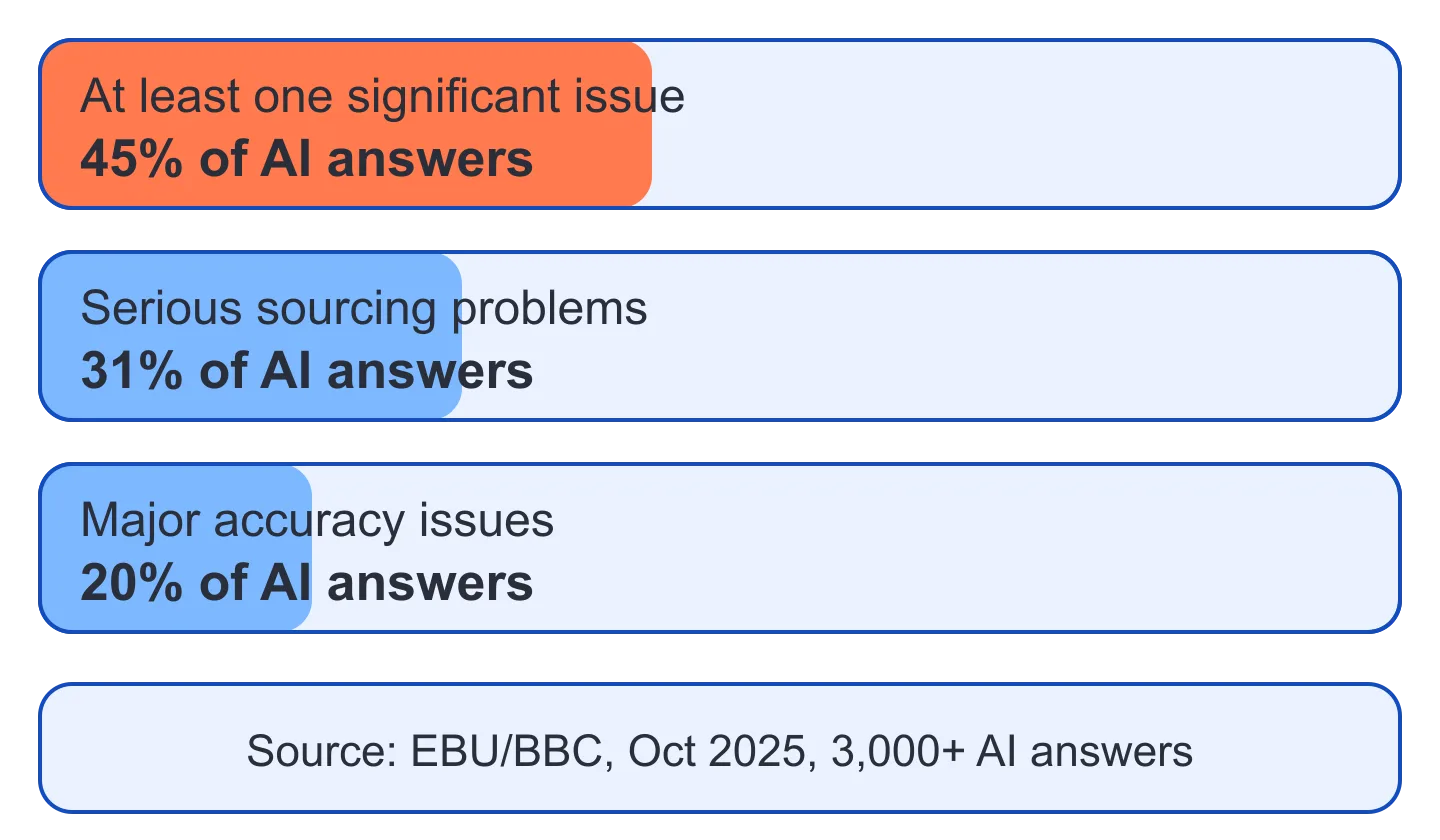
AI assistants often get attribution wrong. In an EBU/BBC study of more than 3,000 answers from ChatGPT, Copilot, Gemini and Perplexity, 45% of answers had at least one significant issue, and 31% showed serious sourcing problems: missing, misleading or incorrect attributions. That study tested AI assistants answering questions about news, not tools writing LinkedIn posts. But a workflow built on news feeds asks a model to do something close: summarize the news.
❌ "73% of small businesses aren't ready." The feed item has no such number. The model made it up, and it's the most quotable line in the post. The draft also never links to the announcement.
3. Does it repeat itself?
This gate checks for the same phrase or idea twice in one post, and for the same shape across a week of posts.
The fast test has two parts. First, search the draft for any three-word phrase that appears twice. A short script can do this for you: count every three-word sequence and flag any that shows up more than once. Second, read the opening lines of your last five posts in a row. If three of them start the same way, the template is showing.
❌ "Ahead of change" appears twice in two sentences, and "Staying ahead of change is what we do best" only repeats the sentence before it.
4. Does it sound like the client?
This gate checks that the voice fits the brand, the channel and the person reading.
The fast test: read the post aloud as the firm's owner would say it to a customer across a desk. If they would never say it out loud, rewrite it. Keep a short voice note for each client, with a few sentences that sound right and a list of words they never use.
A bookkeeping firm sells care and accuracy. Exclamation marks and "transform your finances" sell the opposite.
❌ "Don't let payroll changes catch you off guard!" reads like a gym ad. The #Innovation hashtag has nothing to do with bookkeeping.
5. Are the facts right?
Gate 2 asks whether a claim has a source. This gate asks whether the post says what the source says.
The same EBU/BBC study found that 20% of answers contained major accuracy issues, including hallucinated details and outdated information. Google's guidance on generative AI content is blunt about it: "It is critical to manually factcheck and review all AI-generated content for accuracy and trustworthiness before publishing."
The fast test: open the source next to the draft. Check every name, date and number against it, and check the verbs too ("will" vs "might", "one app" vs "all apps").
❌ The announcement says one app stops desktop updates on June 30. The draft says "all payroll software is changing next month." One app became the whole category, and "next month" replaced a real date.
6. Is it worth reading?
This gate checks whether the reader can do something after reading.
The fast test: fill in the blank. "After reading this, a Ledger & Pine client will know to ___." If you can't fill it with a specific action, the post has nothing to say yet.
Google's guidance makes a related point: generating many pages without adding value for users may violate its scaled content abuse policy. That policy is about pages in Google Search, so it matters most if your workflow also publishes to a blog.
❌ The only action in the sample is "reach out today." A PayrollDesk user doesn't learn what changes, by when, or what to do about it.
The same post after all six gates
PayrollDesk stops updating its desktop app on June 30. After that, the desktop app gets no new tax tables.
If you still run payroll on the desktop app, pick one option before June 30:
- move to PayrollDesk Online, which keeps getting updates
- export your employee records and switch to another provider
We moved four clients to the online version last month. Each move took about 20 minutes. If you want help with yours, reply here or book a call.
Source: PayrollDesk's announcement [link]
It names the app and the date, links the source and repeats nothing. The tone is calm, and the reader has a decision to make before June 30.
The four clients and the 20 minutes came from Ledger & Pine, not from the model. Only a person who knows the client can supply that.
Where human in the loop AI review fits
Not every gate needs a person.
| Gate | Machine can check? | Person must check? |
|---|---|---|
| Specificity | Flags stock phrases | Yes |
| Source grounding | Flags missing links | Yes |
| Repetition | Yes | Spot-check |
| Tone | Banned-word list | Yes |
| Factual accuracy | Barely | Yes |
| Editorial usefulness | No | Yes |
Run the machine checks first, so the person only sees drafts that already pass the cheap tests. A banned-phrase list ("fast-paced world", "staying ahead", "transform your") plus the three-word repetition count would have caught a lot of the sample. The reviewer then spends their minutes on the two gates no script can pass: does the post match the source, and would a client act on it.
How often a person reviews depends on the feed. A trusted, low-stakes feed might get the machine checks on every post, plus a person reading a sample after it goes out. Anything with numbers, dates or deadlines gets all six gates before it posts. Our human-in-the-loop AI scorecard covers how to sort feeds into those tiers.
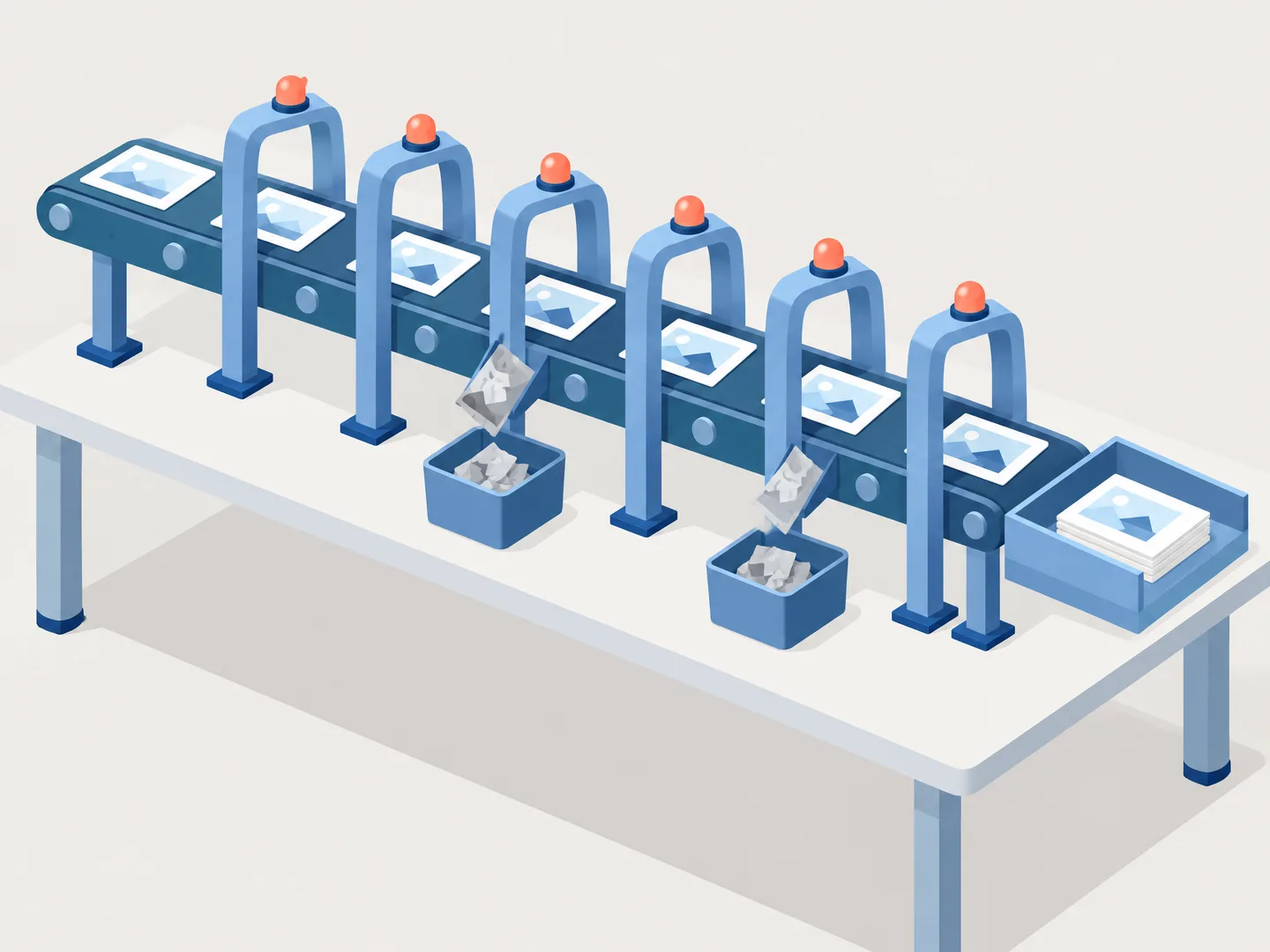
How to add quality gates to your AI content workflow
- Put the six fast tests on one page the reviewer keeps open while checking drafts.
- Run the cheapest gates first. Banned phrases and repeated phrases can block a draft before a person ever sees it.
- When the same failure shows up three times, change the prompt as well as the post. "Never add a statistic that isn't in the feed item" fixes the sample's worst line at the source. Our guide to prompts that turn feed items into posts has more lines like it.
- Keep the rejects. A folder of failed drafts, each with the gate it failed, teaches a new reviewer faster than a style guide does.
Start with the AI content workflow that posts most often. Write its banned-phrase list this week, then run its next ten drafts through all six gates before they go out.
Questions about AI slop in content workflows
What is an AI content workflow?
It's the set of steps a team uses to turn inputs (news feeds, briefs, notes) into published posts, with AI doing some of the drafting or rewriting. A good one includes checks between drafting and publishing, so a person or a script catches problems before readers do.
What is AI slop?
Merriam-Webster named "slop" its 2025 Word of the Year and defines it as "digital content of low quality that is produced usually in quantity by means of artificial intelligence." In a content workflow, slop is the post that fails the gates above: generic, unsourced, repetitive and of no use to the reader.
Can a tool catch AI slop on its own?
Partly. Scripts and keyword lists catch repetition, stock phrases and missing links. They can't tell whether a post matches its source or helps the reader, so those two gates still need a person.
Do I need all six gates for every post?
Run the machine checks on everything, since they cost nothing once set up. Spend human time based on risk: a post with a number, a date or a client's name in it gets the full set.
Where Feedigy fits
Feedigy covers the publishing side of this workflow. An Auto-Publisher takes posts from up to 10 content feeds and publishes them to one channel on a schedule. In Advanced mode, Exclude keywords skips feed items that contain words you specify. If you use an AI prompt for each post's custom text (1 AI credit each), that prompt is where rules like "no statistics that aren't in the item" live.
Test Post publishes one real post to the channel right away, so treat it as a check that the layout works, not as a review step. The Activity Log then shows what was posted and any errors, and the Calendar filters posts by status (Scheduled, Published, Draft, Failed, Missed).
Posts that need a person every time work better as channel posts: save one as a draft, run the gates, then schedule it. In that editor, the Ask AI menu can Rewrite, Make shorter or Simplify language on a selected passage, and per-channel text overrides let you adjust tone per network.
Create a Feedigy account and set up your first Auto-Publisher with the six gates in mind.