






















A home solar newsletter leads with a crisp number about falling battery prices. The source is a slick installer blog with good charts. A reader writes back asking where the number came from. The blog says "a recent industry report," with no link. The same figure sits on a dozen other sites, each citing another one, and the trail ends at an old vendor sales page.
Content discovery tools found that blog in seconds. Judging it was the curator's job, and it takes six checks: who wrote it, what evidence it shows, where its claims first came from, how it handles updates, whether the author knows the topic first-hand, and how its feed behaves. In this post, "content provenance" means the plain thing: where a claim or article originally came from.
What content discovery tools tell you, and what they don't
RSS readers like Feedly and Inoreader pull new posts from the sites you follow. Google Alerts emails you when new pages match a search term. BuzzSumo shows which articles on a topic get shared and linked the most. They are good at finding candidates. None of them decides for you whether a source has earned a place in your newsletter.
| Tool type | Good at | Doesn't check |
|---|---|---|
| RSS reader | New posts from your sites | If the sites are accurate |
| Alert service | New pages for a keyword | Who wrote them |
| Content research tool | What gets shared | If shared means true |
Say you curate a weekly newsletter about home solar and you're building a feed list. Three candidates came up this week:
- BrightRoof Blog, an installer's company blog. Polished, posts often, no author names.
- Kilowatt Notes, a newsletter by a named electrical engineer who links to utility filings and test data.
- SolarDailyHub, an aggregator that posts dozens of short items a day under "Staff."
We'll run all three through the checks.
How do you check whether a source is trustworthy?
The checks run from fastest to slowest, so start at the top.
1. Find the author
Google's guidance for publishers asks the questions you should ask as a reader: "Is it self-evident to your visitors who authored your content?" It also asks whether bylines lead to more information about the author and their background (Google Search Central).
Click the byline. Look for a bio, other work, and a way to reach the person. A news-style post with no byline scores 0 on this check. A byline that leads nowhere is barely better.
In the solar example, BrightRoof names nobody. Kilowatt Notes has a named engineer with a bio and years of archived issues. SolarDailyHub has "Staff."
2. Look for the evidence
Google also asks whether content presents information "in a way that makes you want to trust it, such as clear sourcing" (Google Search Central). In practice, count the links. How many go to primary material (a study, a filing, a dataset, a spec sheet) and how many go to other blogs?
Kilowatt Notes links to utility rate filings. BrightRoof links mostly to its own product pages. SolarDailyHub links to whichever site it rewrote that morning.
These first two checks give you a quick map of any source.
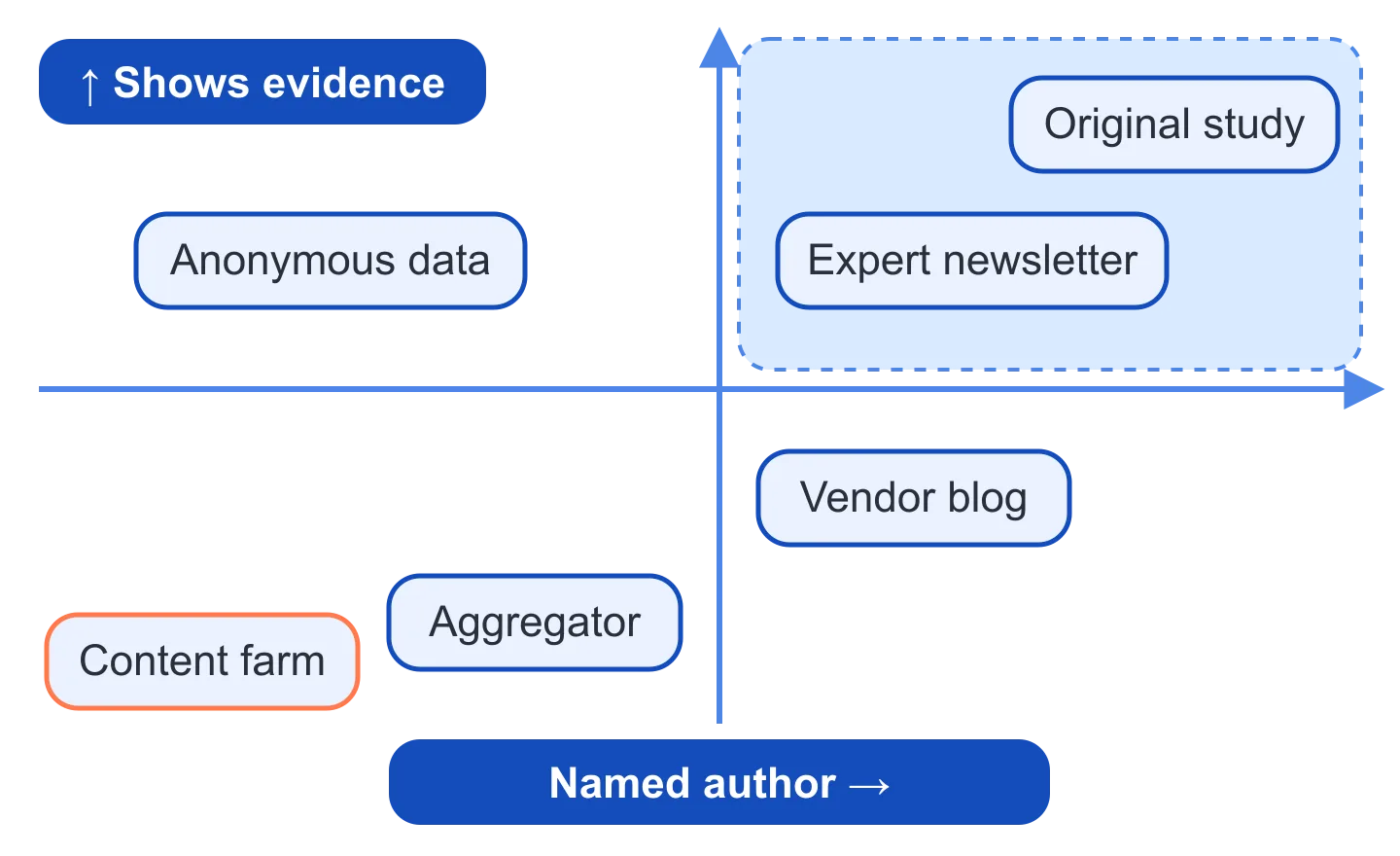
Top right is where most of your list should live. Top left (data with no name on it) and bottom right (a named expert with no evidence) are not automatic rejects. They need the checks that follow.
3. Trace the content provenance of each claim
Pick the most striking claim in a post and follow it back to where it started.
Professional fact checkers do this by leaving the page. In a Stanford study, Sam Wineburg and Sarah McGrew had 10 PhD historians, 10 professional fact checkers and 25 Stanford undergraduates evaluate live websites (Wineburg and McGrew, "Lateral Reading and the Nature of Expertise"). The fact checkers reached better-supported conclusions in a fraction of the time. They opened new tabs to see what others said about a site, which the researchers called lateral reading. The historians and students read down the page and were taken in by official-looking logos and domain names. The fact checkers also showed "click restraint": they scanned search results before clicking any of them.
For a curator, lateral reading looks like this:
- Search the source's name plus "review" or "funded by."
- Search the striking number itself, in quotes.
- Follow each citation one hop back, then another.
- Stop when you reach a study, filing or dataset, or when the chain loops.
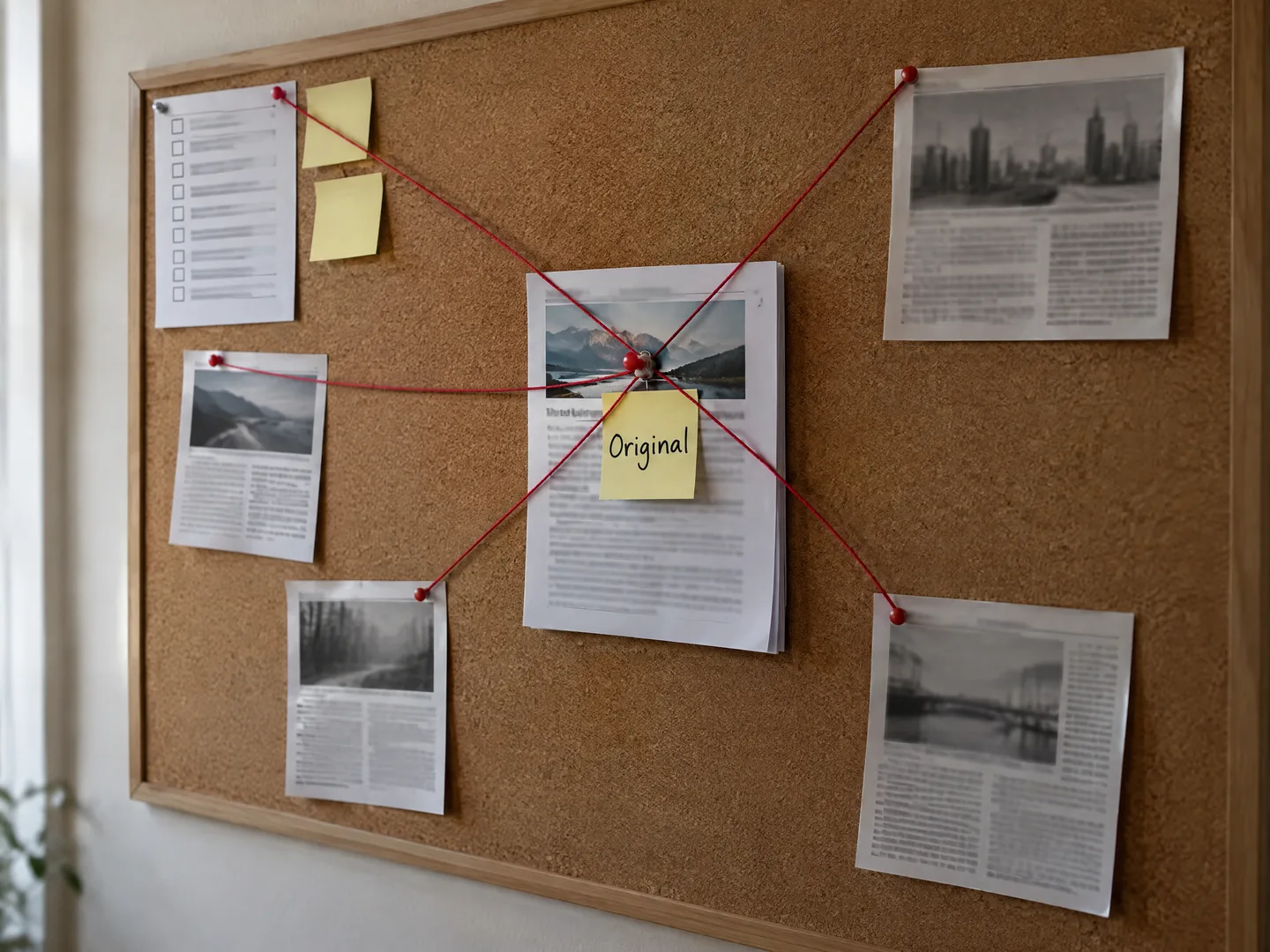
If every page points to another secondary page, the claim has no visible origin. Treat it as unsourced. When the same article appears on several sites, find the original source that syndicated copies point to and link that one.
Readers worry about this too. In the Reuters Institute Digital News Report 2025, 58% of respondents say they remain concerned about telling what is true from what is false in news online. When they check something, the largest group (38%) would first go to news outlets they trust. If your readers lean on your newsletter the same way, a bad source costs you more than one wrong number.
4. Check the update history
Look for a published date and an updated date. Look for correction notes. Then paste the URL into the Wayback Machine and compare older versions of the page.
💡 A dated correction note is a good sign. A number that changed between versions with no note is a bad one.
BrightRoof shows no dates at all. Kilowatt Notes adds a short correction line at the top of an issue when it gets something wrong.
5. Judge first-hand expertise
Google's list asks whether content is "written or reviewed by an expert or enthusiast who demonstrably knows the topic well" and whether it shows "first-hand expertise and a depth of knowledge" (Google Search Central).
Enthusiasts count. A homeowner who has logged their own system's output for three years can teach your readers more than a generic explainer. Look for things only a practitioner would have: photos of their own installs, test results, the mistakes they made the first time.
Then spot-check one fact you already know. Google's list also asks whether a page has "easily-verified factual errors." If you find one in five minutes, assume there are more.
6. Check how the feed behaves
For a feed list, the feed matters as much as the site. Before you subscribe, look at four things:
- How often it posts. A few posts a week is easy to read. Dozens a day is a cue to check whether the posts rewrite other sites.
- Full or partial content. A summary-only feed makes you click through for every post.
- Whether the posts match the feed's title. A "solar" feed that drifts into crypto is a warning.
- Whether the headlines show up on other sites first.
If a site you like has no obvious subscribe link, here's how to find its RSS feed URL.
A scoring checklist you can reuse
Give each check 0, 1 or 2 points:
- Author: 0 for none, 1 for a name only, 2 for a name with a track record you can find.
- Evidence: 0 for claims only, 1 for links to other blogs, 2 for links to primary material.
- Provenance: 0 if the top claim leads nowhere, 1 if it leads to a secondary report, 2 if it reaches the origin.
- Updates: 0 for no dates, 1 for dates only, 2 for dates plus correction notes.
- Expertise: 0 for generic, 1 for informed, 2 for first-hand.
- Feed: 0 for noisy or off-topic, 1 for usable, 2 for steady and on-topic.
Add it up out of 12. Add a source at 9 or more. At 6 to 8, add it with a "verify before quoting" note. Under 6, skip it.
One rule beats the total: a claim that scores 0 on provenance never goes in the newsletter, however well its source scores. Find the origin first, or leave the claim out.
Here is how the solar candidates scored, in check order (author, evidence, provenance, updates, expertise, feed):
| Source | Scores | Total | Decision |
|---|---|---|---|
| Kilowatt Notes | 2, 2, 2, 2, 2, 1 | 11 | Add |
| BrightRoof Blog | 0, 1, 0, 0, 2, 2 | 5 | Skip |
| SolarDailyHub | 0, 1, 0, 0, 0, 0 | 1 | Skip |
Kilowatt Notes drops one point because its feed sends summaries only. BrightRoof has real installer know-how and a steady, on-topic feed. But its battery number traced back to a vendor sales page, so it scores 0 on provenance and misses the cut.
When the signals disagree
The scores won't always line up. Here are the common splits:
- A named expert with no citations. Read it as opinion. Use it for angles and questions, and get numbers elsewhere.
- An anonymous page with real primary data. Run lateral reading on the data. If it holds up, cite where the data came from instead of the page that reposted it.
- A vendor blog with original research. Vendors do publish real surveys. Check how many people they asked and who those people were, and say it's vendor data when you quote it.
- A popular feed with weak sourcing. Subscriber counts and shares measure attention. They say nothing about accuracy, so score a popular feed like any other source.
⚠️ These red flags mean you can stop checking early:
- "Studies show" with no link to a study.
- No dates, or every post marked "updated" today.
- Author pages with no other work and no way to get in touch.
- The same article text on several sites and no clear original.
- A feed whose posts don't match its title.
Questions about finding trustworthy content sources
What does content provenance mean in the C2PA sense?
C2PA (the Coalition for Content Provenance and Authenticity) publishes an open standard for recording the origin and edit history of a media file. That history sits in a digitally signed manifest, and "Content Credentials" is the everyday name for it (C2PA explainer). A credential shows where a photo or video came from and how it was edited. It does not tell you the content is accurate: the explainer says provenance information "alone cannot tell you whether the digital content is true, accurate or factual." It also confirms the metadata can be removed from a file, so a missing credential proves little.
How many sources should a niche feed list have?
Fewer than you think. A dozen sources you have scored will serve readers better than a hundred you haven't. Add more once the first batch has run for a few weeks and you know which ones you quote.
Does a high subscriber count mean a source is reliable?
No. It means many people follow it. Treat it as a hint that a source is worth checking, then run the same six checks.
Should I drop a source after one mistake?
Not on its own. Watch what happens next. A source that publishes a dated correction is doing what you want. A source that edits the number with no note, or leaves it wrong, should lose its place.
Build the list in Feedigy
Feedigy's Discover Feeds searches a catalog the Add feeds window describes as "over 40 million public feeds" from news sites, blogs, magazines and podcasts. Each result shows Updates per week, a full or partial content icon, and Subscribers as a rough sign of popularity, which covers much of check 6. Select a feed's title to read its latest posts before you add it, and run checks 1 to 3 right there. If a feed is broken, spam or not what its title says, use Report feed and the Feedigy team checks it.
Like other content discovery tools, Feedigy doesn't score trust for you. Tags can hold your scores, such as "verify before quoting." Create a Feedigy account and start your list with the sources that pass.