
CJ Affiliate
Esta página aún no está disponible en tu idioma.
Connect CJ Affiliate (Commission Junction) to build CJ Affiliate feeds of products from CJ advertisers, with your tracking in every link.
Get your CJ credentials
Section titled “Get your CJ credentials”Personal Access Token
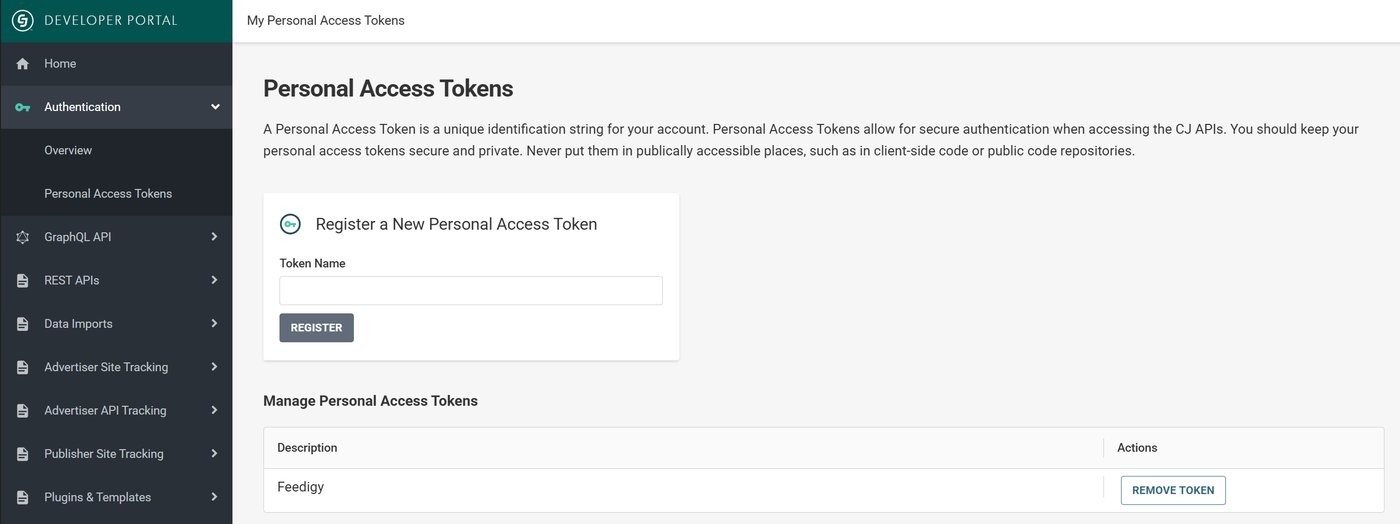
- Open the CJ developer portal and sign in. In the left menu, select Authentication, then Personal Access Tokens.
- Under Register a New Personal Access Token, type a Token Name, for example
Feedigy, and select Register. - Copy the token and keep it private.
Company ID (CID)
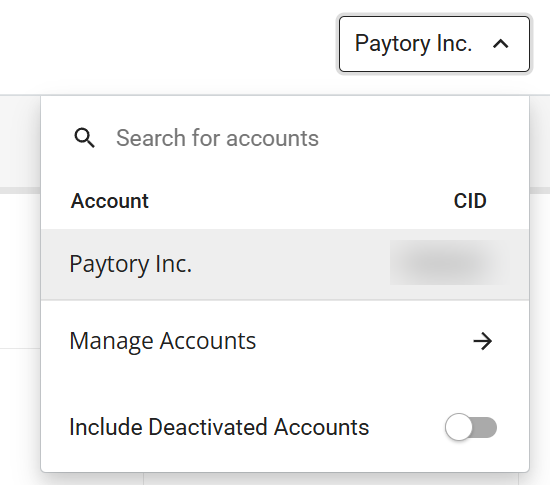
Open the company menu at the top right of any CJ page. The CID is the number next to your account name.
Website ID (PID)
- In CJ, select Account, then Promotional Properties.
- Find your website in the list. The PID is the number in the Property ID column. No property yet? Select Create property to add your website.

Connect
Section titled “Connect”- In CJ, get your Personal Access Token, Company ID (CID) and Website ID (PID). See Get your CJ credentials.
- In Feedigy, open Channels, select Add a channel, then the CJ Affiliate card.
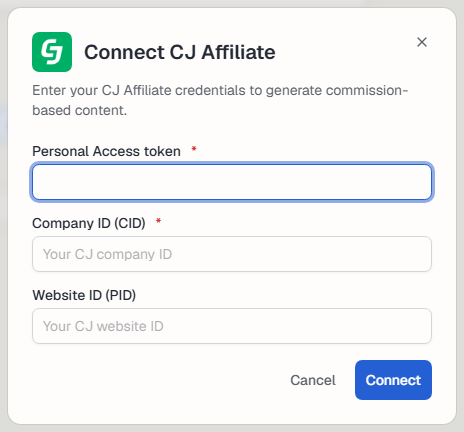
- Enter the Personal Access token, the Company ID (CID) and the Website ID (PID). Select Connect.
Manage the connection
Section titled “Manage the connection”The channel appears on the Channels page. Use Settings to rename it, change its picture or Reauthorize it, and Disconnect to remove it. See What are channels?.
Keep posting through busy weeks
Set sources, keywords and posting hours once. Feedigy posts to your channels while you work on other things.
No card required. The Free plan has no time limit.