






















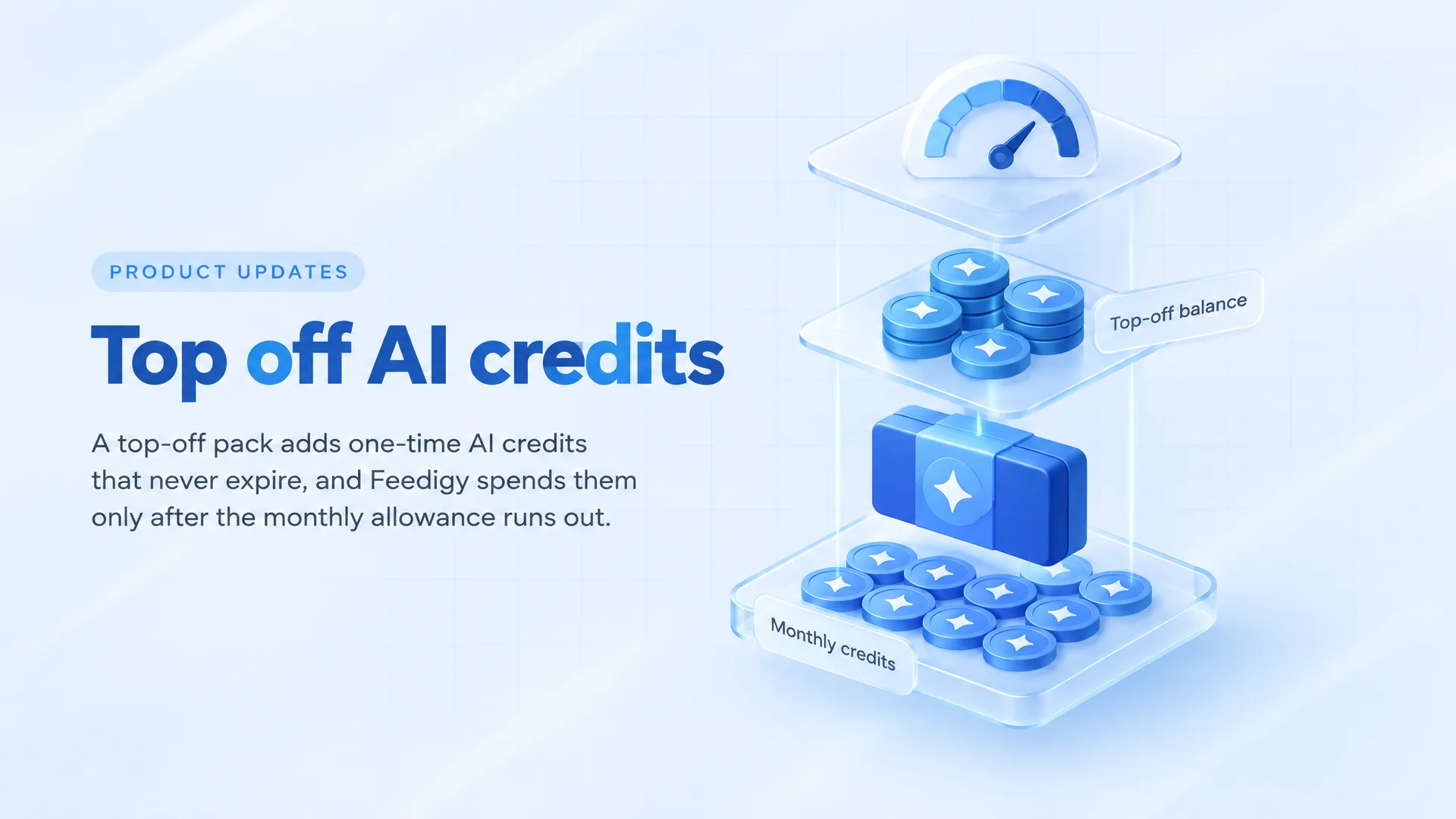
When your monthly AI credits in Feedigy run out, a top-off pack gives you more. It's a one-time AI credit top-up, and the extra credits never expire. Feedigy spends your monthly allowance first and only touches top-off credits after that allowance is gone.
What is an AI credit top-up?
Feedigy's AI features run on AI credits. That includes the AI assistant and the AI-generated text and images you use in posts. Every account gets a monthly allowance of credits, and your plan sets its size.
For most months the allowance is enough. Then a launch week arrives, or a client wants three campaigns rewritten, and the counter hits its limit on the 18th.
A top-off pack covers that gap. It's a one-time purchase of extra credits, with no subscription or recurring charge. The credits sit on your account until you use them.
Here is how the two kinds of credits compare:
| Monthly credits | Top-off credits | |
|---|---|---|
| Where they come from | Your plan | A pack you buy |
| How you pay | Plan subscription | One-time payment |
| When they reset | Every month | Never |
| Spent | First | After monthly runs out |
How do you buy AI credits?
Packs are on the Add-ons page, in the section called "AI credit packs." The steps:
- Open the Add-ons page in the app.
- Find "AI credit packs" and open the dropdown.
- Pick the pack size you want.
- Click Buy.
- Pay in Stripe Checkout.
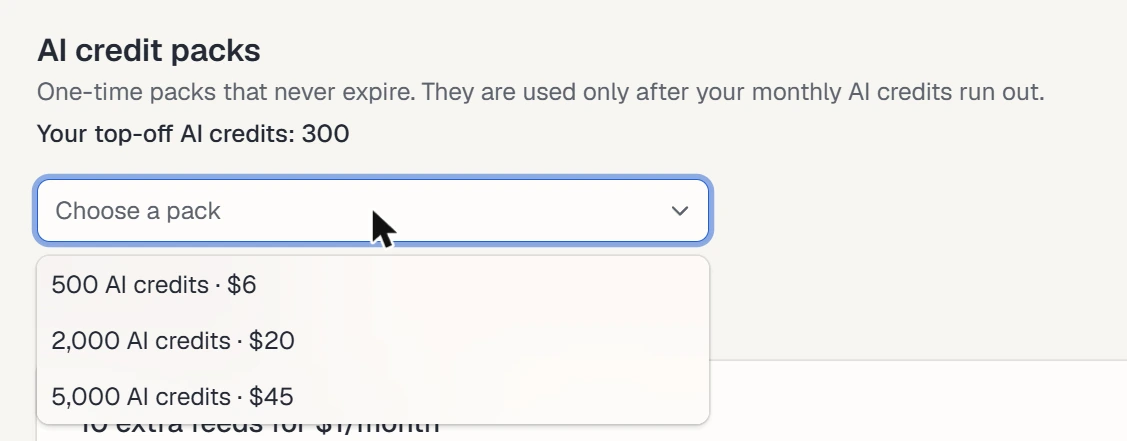
Packs come in several sizes. The current price for each one shows on the Add-ons page, so check there before you buy. We don't list prices in this post because they can change.
Once you pick a pack, its Buy button appears. Clicking it sends you to Stripe Checkout to pay.
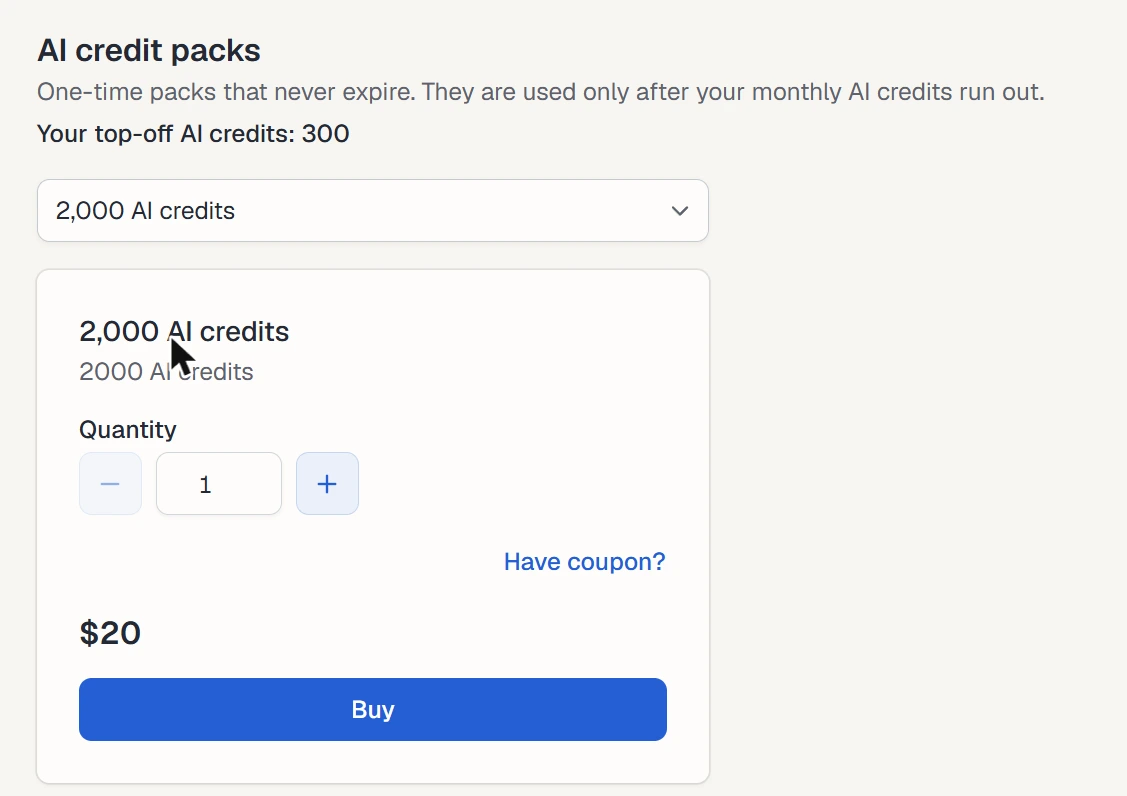
A few details worth knowing before checkout:
- You buy one pack per checkout. Need more? Run a second checkout.
- Got an add-on coupon? Click the "Have coupon?" link on the pack and enter the code.
- Anyone signed in can buy a pack. That includes accounts on the free plan.
- Plans with unlimited AI credits don't see the packs at all, because those accounts never run short.
In what order does Feedigy spend your credits?
Feedigy always spends monthly credits first, and top-off credits wait in reserve. It draws on them only after your monthly credits for the current period are used up. So if you buy a pack early in the month, it won't drain while you still have allowance left. You can buy a pack ahead of a busy stretch without wasting it. If the month turns out quieter than expected, the pack carries over.
Say you're an agency that writes social copy for several clients. Most months the plan allowance covers it. In a month with two product launches, the allowance runs out around week three. With a pack already on the account, the AI assistant keeps working, and nobody has to stop and wait for a plan change.
How annual plans work
Annual plans split the yearly allowance into monthly slices. Each month you get 1/12 of it.
When that month's slice is spent, Feedigy moves to your top-off credits. It does this even if the yearly total still has credits left in later months. In practice, an annual plan behaves like a monthly one for spending order: this month's slice, then your top-off balance.
What happens when you run out of AI credits?
Feedigy checks the cost of an AI request before it runs. If the charge would be more than your remaining monthly credits plus your top-off credits, Feedigy refuses the request. The AI work doesn't start.
Two things follow from that:
- Your balance never goes negative. You won't end up owing credits.
- You don't lose credits on a half-finished job. A refused request uses no credits.
At that point you have two choices. Buy a top-off pack and carry on, or wait for your monthly credits to reset at the start of the next period.
If you hit zero every single month, a pack each time can work, but it's worth comparing against a bigger plan. Plans set the monthly allowance, so a higher one raises your baseline. Packs suit the months that spike. A plan suits a steady, higher level of use.
Do top-off AI credits expire?
No. AI credits that never expire are the main difference from your monthly allowance, which resets every period.
Your top-off balance also survives account changes:
- You upgrade to a different plan. The balance stays.
- You downgrade. The balance stays.
- You cancel your subscription. The balance still stays on the account.
There's one exception. If you delete your Feedigy account, you lose the top-off balance with it. Use the credits first if you plan to delete.
Where do you check your top-off balance?
Go to Billing & Usage. The Usage card shows two things: the AI Assistant Credits you've used this month, and your current top-off balance. A "Buy AI credits" link sits next to the balance, so you can top up from the same screen.
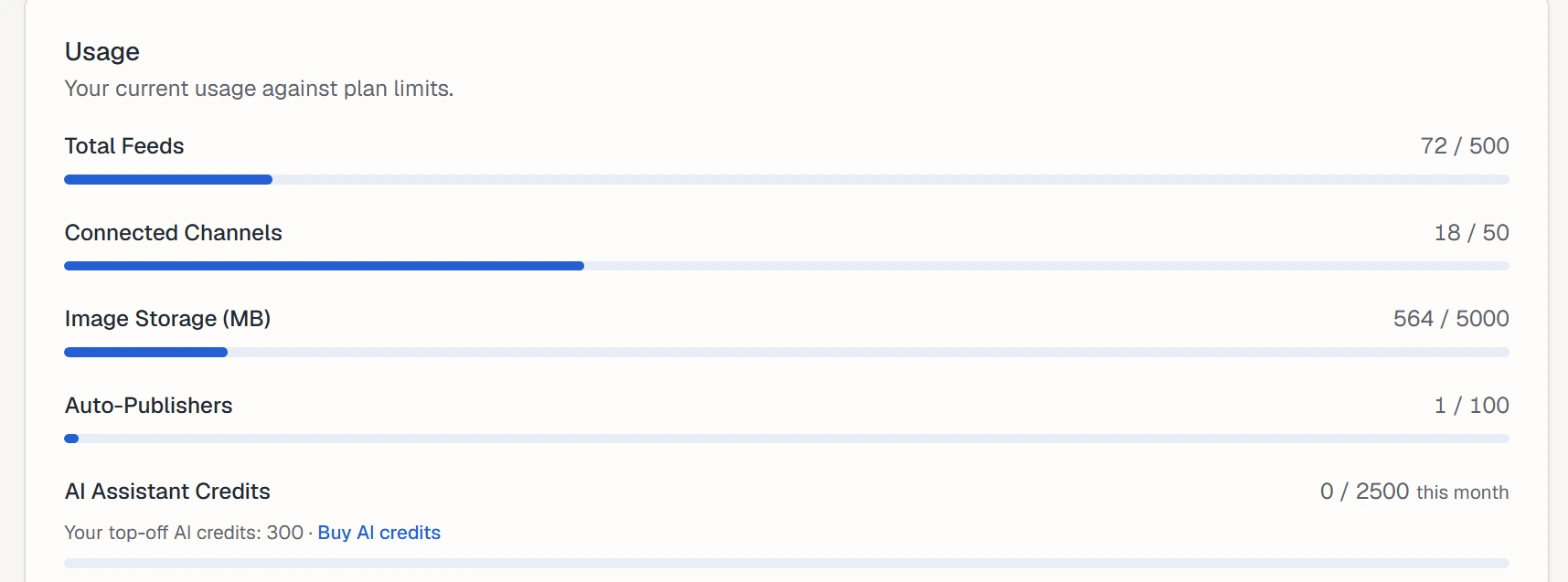
The Billing & Usage docs explain the rest of that page, including the plan card, transactions and payment method.
Check the card before a heavy week. If the monthly bar is close to full and the top-off balance is low, buy a pack first. That's easier than finding out halfway through a batch of posts.
What if a pack purchase is refunded?
If a refund goes through, Feedigy removes the refunded credits from your top-off balance. It removes them only up to the balance you have left.
Credits you already spent stay spent. Feedigy doesn't claw them back or push your balance below zero. So if you used part of a pack before the refund, Feedigy subtracts the refunded amount from what remains, and stops at zero.
How to plan your AI credit use
Top-off packs work best with a little planning. A few habits help:
- Know your usual month. Look at the AI Assistant Credits bar near the end of a normal month to see how close you get.
- Buy ahead of known spikes, such as launches, seasonal campaigns, or a new client's first batch of content. Top-off credits never expire, so a pack bought early isn't wasted.
- Keep a small reserve. One pack on the account means a busy day doesn't stop work.
- Review after a few months. Buying a pack most months is a signal to compare plans.
Each AI request spends credits, so fewer rewrite passes means fewer credits used. Our post on fixing the AI content workflow covers how to get usable drafts with fewer passes.
Questions about top-off AI credits
Can I buy AI credits on the free plan?
Yes. Anyone signed in can buy a top-off pack, including on the free plan. The packs are hidden only on plans with unlimited AI credits.
Can I buy more than one pack at once?
Each checkout covers one pack. To buy two, complete one checkout, then return to the Add-ons page and buy the second.
Are top-off credits used before my monthly credits?
No. Feedigy spends your monthly credits first. Top-off credits are used only after the monthly credits for the current period run out.
What happens to my top-off credits if I cancel?
They stay on your account. Top-off credits never expire, and they remain after a plan change, a downgrade, or a cancellation. Deleting the account forfeits them.
Can I use a coupon on a top-off pack?
Yes, if it's an add-on coupon. Click the "Have coupon?" link on the pack and enter the code before you buy.