
Podcast feeds
Это содержимое пока не доступно на вашем языке.
A podcast feed is a smart feed of podcast episodes. Each episode becomes a feed item with its title, artwork, description and audio. Use it to share new episodes of your own show, or to curate the best episodes in your field.
Create a podcast feed
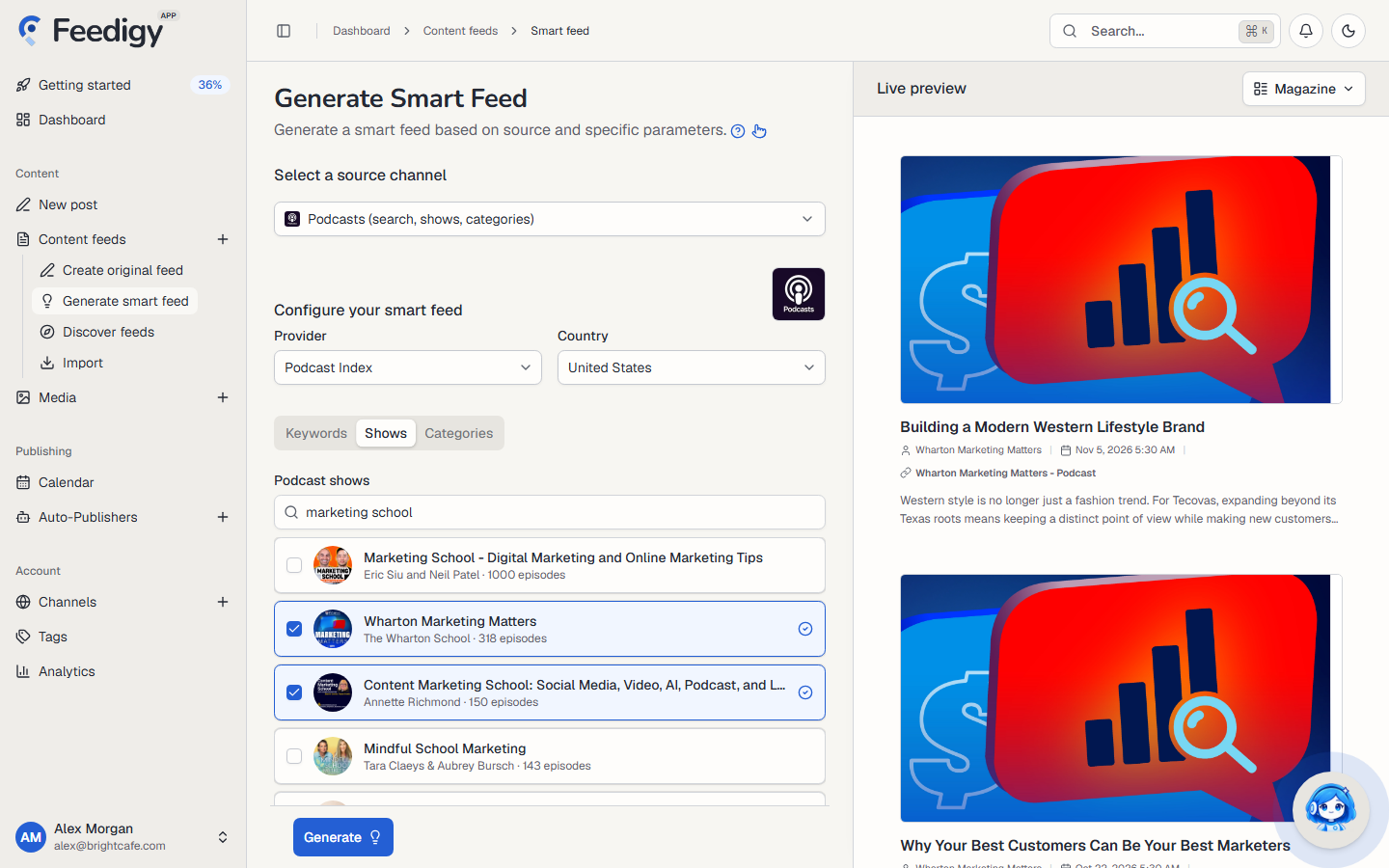
Section titled “Create a podcast feed”- Open Content feeds in the sidebar, then Generate smart feed.
- In Select a source channel, choose Podcasts.
- Choose a Provider and a Country (see below).
- Choose Keywords, Shows or Categories, and add what to follow.
- Check the episodes in Live preview on the right.
- Select Generate.
Providers
Section titled “Providers”The provider is the podcast directory Feedigy searches.
| Provider | What you need |
|---|---|
| Podcast Index | Nothing. Ready to use. |
| Apple Podcasts | Nothing. Ready to use. |
| Taddy | Your Taddy API credentials, added in Channels. Taddy’s free tier allows 500 requests a month. |
Country sets which country’s directory to search, for example United States.
Keywords, shows or categories
Section titled “Keywords, shows or categories”- Shows: type a show’s name into Podcast shows. Feedigy lists matching shows with their artwork, host and number of episodes. Tick the shows you want. Each show becomes its own feed of its newest episodes.
- Keywords: type a word and press Enter. Feedigy finds shows about it.
- Categories: choose a category from the provider’s list.
You can add up to 10 shows, keywords or categories. A keyword or category feed combines up to five matching shows and keeps their newest episodes.
Advanced mode
Section titled “Advanced mode”- Include keywords: keep only episodes that contain one of these words.
- Exclude keywords: skip episodes that contain any of these words.
- Tags: tags for the new feeds. See Tags.
After you generate
Section titled “After you generate”The new feeds appear on the Content Feeds page with the Smart type. Feedigy refreshes a podcast feed at most once an hour, when the feed is read. If one show in a feed cannot be read, the feed keeps the episodes of the others.
To share new episodes on your channels, add the feed to an Auto-Publisher.
Some shows do not publish a public RSS feed. Feedigy cannot follow those, and the preview says so.
Keep posting through busy weeks
Set sources, keywords and posting hours once. Feedigy posts to your channels while you work on other things.
No card required. The Free plan has no time limit.