
What are smart feeds?
Это содержимое пока не доступно на вашем языке.
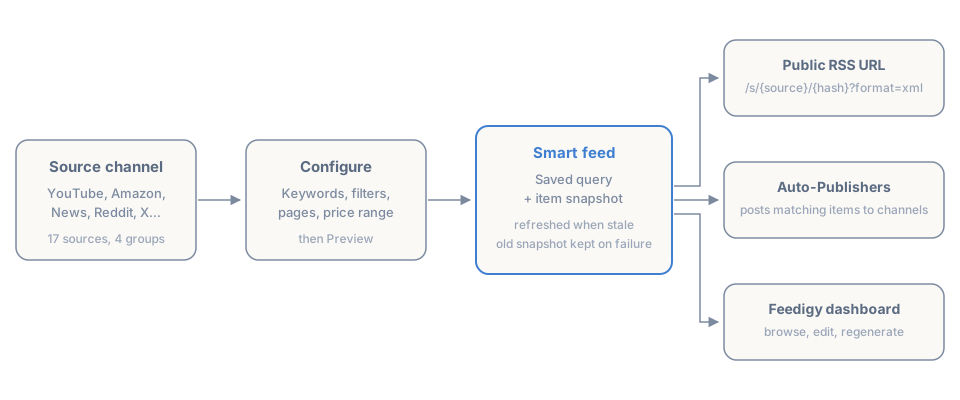
A smart feed is a feed you do not write. You pick a source, set the conditions you want it to match, and Feedigy builds the feed for you — then keeps it fresh as the source changes.
You choose things like:
- A source — YouTube, Amazon, News, Reddit, your Facebook pages, and so on.
- Parameters — keywords, accounts, pages, boards, categories, price ranges or a search term.
- Filters — what to keep and what to exclude.
Feedigy turns that into a normal feed of items, each with a title, link, image and description, exactly like the items inside an original feed. The difference is that you never add an item by hand: the items come from the source, and they change as the source changes.
Smart feeds, original feeds and discovery feeds
Section titled “Smart feeds, original feeds and discovery feeds”Feedigy has three kinds of feed, and they answer different questions.
| Feed | What it is | Who creates the items |
|---|---|---|
| Original feed | Your own content: a publication you write, draft and organise. | You |
| Smart feed | A saved query against a source, generated and refreshed by Feedigy. | Feedigy, from the source |
| Discovery feed | An external RSS or Atom feed you follow for ideas or republishing. | The site that publishes it |
Use an original feed for what you write, a smart feed for what you want collected automatically, and a discovery feed when the source already publishes a feed you can subscribe to.
Sources
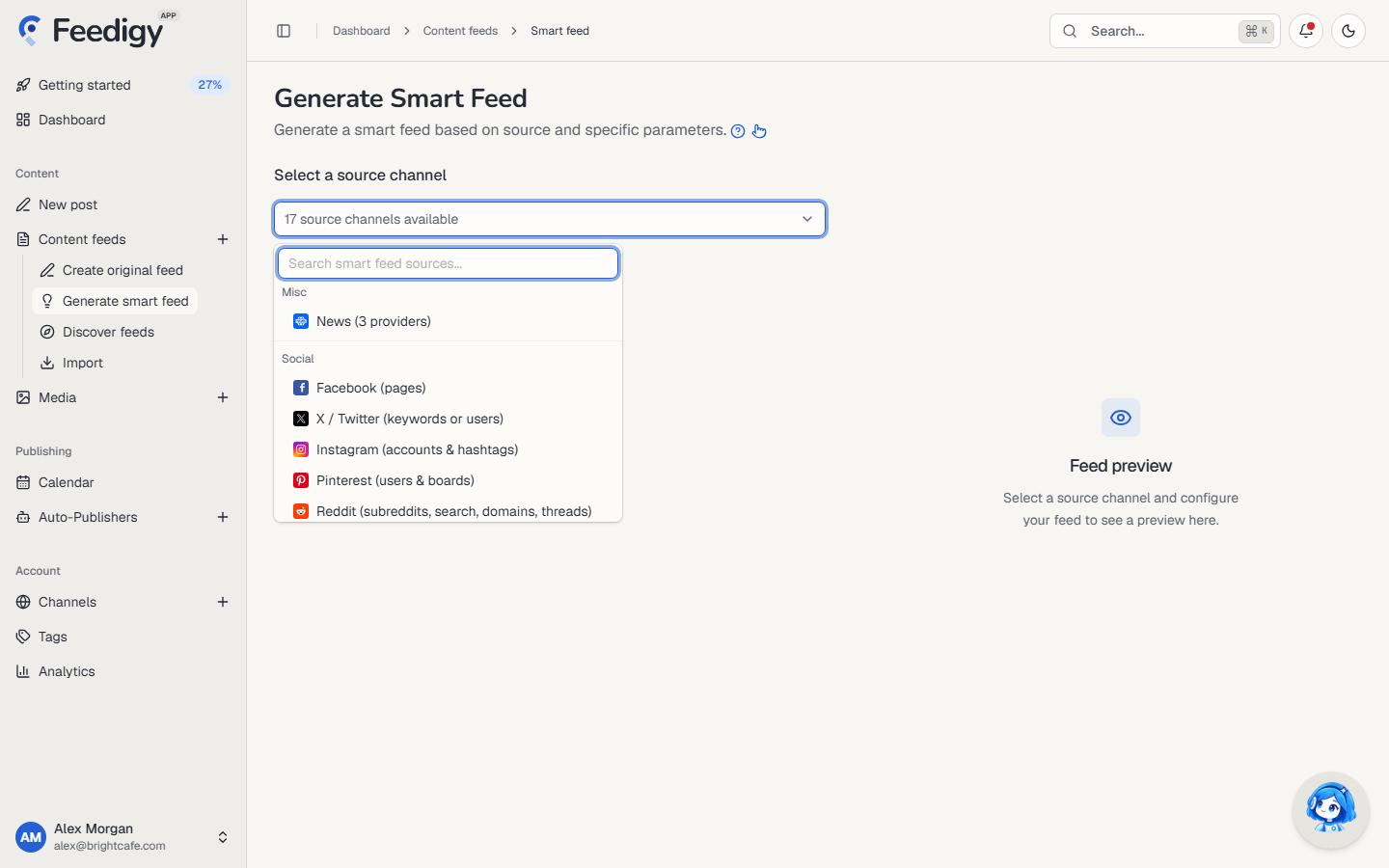
Section titled “Sources”Sources are grouped in the picker the same way they are grouped here.
| Group | Sources | You configure them by |
|---|---|---|
| Misc | News | Provider, keywords, negative keywords |
| Social | Facebook, X / Twitter, Instagram, Pinterest, Reddit | Pages, keywords or users, hashtags, subreddits or searches |
| Media | YouTube, Vimeo, Podcasts, Audiobooks, Apple Media | Keywords, channels, playlists, shows, charts |
| Affiliate platforms | Amazon, Best Buy, CJ Affiliate, ClickBank, eBay, Shopify | Keywords, categories, price range, sorting |
A source that reads from a connected account — Facebook, YouTube, Amazon and the rest — needs that account connected first. Sources that search public data, such as News, Reddit, Podcasts, Audiobooks and Apple Media, need no connection at all.
Each source keeps its own page in this help centre, with the exact options it supports. They are listed under Smart Feeds in the sidebar.
Create a smart feed
Section titled “Create a smart feed”- Open My content → Smart feed, then choose Generate smart feed.
- Pick a source channel. The picker can be searched.
- Fill in the source options. Most sources ask for at least one keyword, account or page.
- Use Preview to see the live items before you commit. Nothing is saved yet.
- Choose Generate.
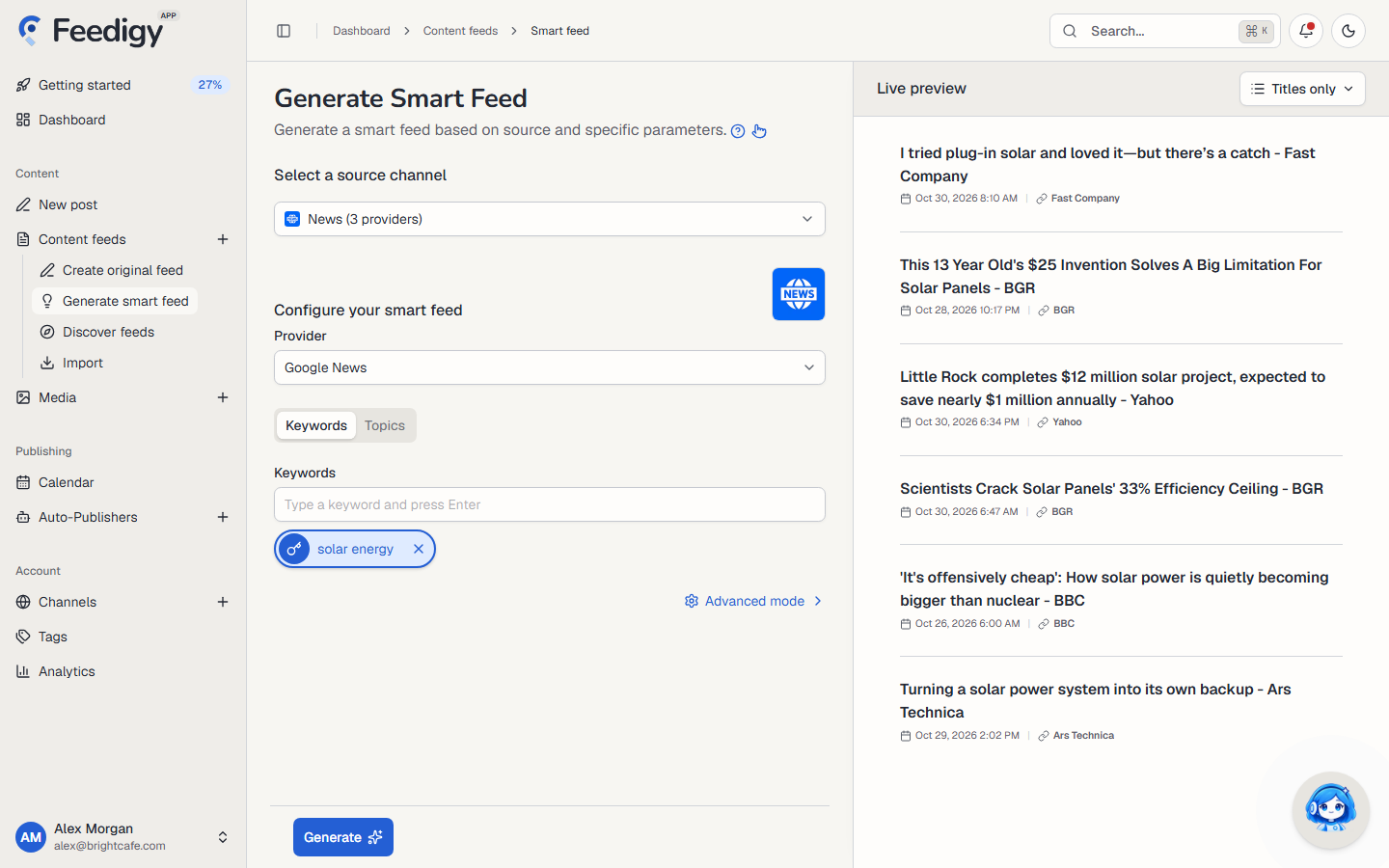
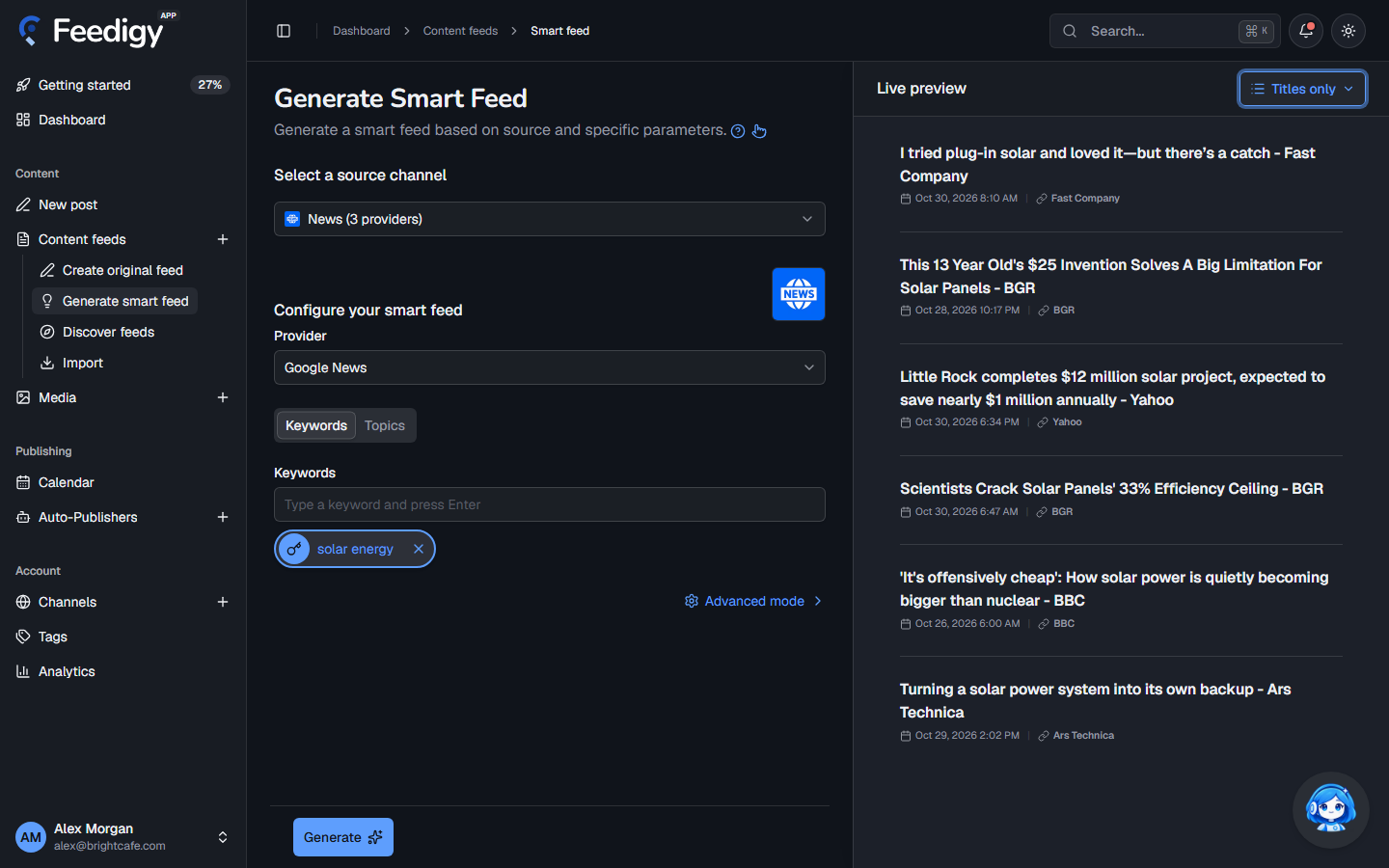
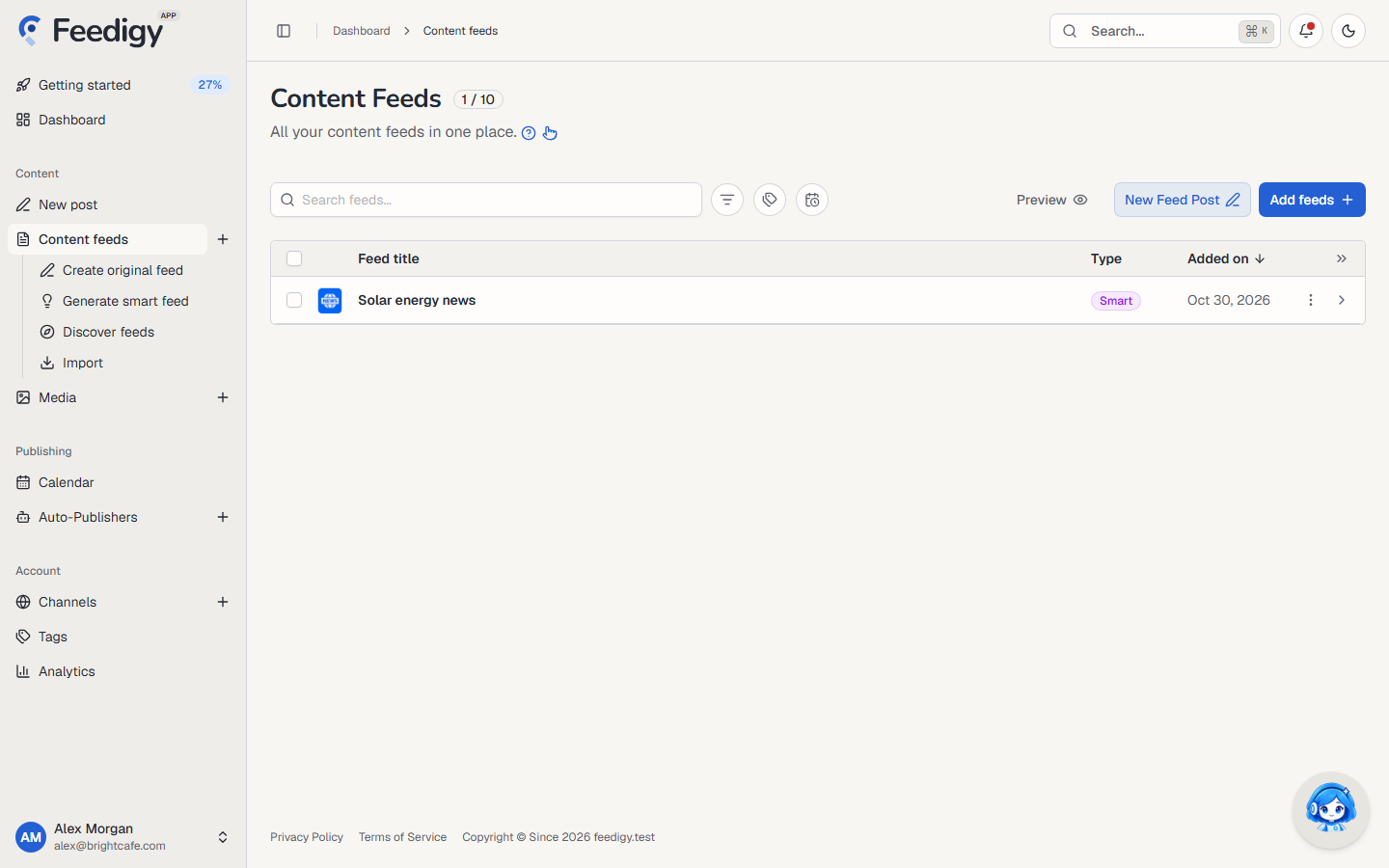
Every target you selected becomes its own feed. Pick three keywords on a news search and you get three feeds, one per keyword, each with its own public URL and its own settings to edit later. A target that already has a feed is skipped rather than duplicated, and generation stops when your plan’s feed limit is reached.
Feedigy seeds a new feed from the preview you just loaded, so the first items are usually there immediately instead of after the first scheduled refresh.
How items stay fresh
Section titled “How items stay fresh”A smart feed is refreshed from its source when its current snapshot is old enough for that source. Every refresh replaces the whole item list with the source’s current response, and stores the time of the last successful sync.
Refresh intervals differ by source, because each provider has its own rate limits:
| Interval | Sources |
|---|---|
| 30 minutes | Instagram, Reddit |
| 1 hour | Facebook, News, Podcasts, Audiobooks |
| 2 hours | Vimeo, Amazon, Best Buy, eBay, CJ Affiliate, Shopify, ClickBank, Pinterest |
| 4 hours | YouTube, X / Twitter |
| 6 hours | Apple Media |
Two behaviours are worth knowing:
- Refreshes wait for a reason. A feed is refreshed when someone asks for it — you open it, a reader requests its public URL, or an Auto-Publisher run needs it — and it is stale. Feedigy does not poll sources around the clock.
- A failed refresh keeps the last good items. If the source times out or rejects a request, the previous items and sync time stay in place, so the feed never goes empty because of a temporary upstream error. The next attempt happens after a short cooldown.
You can regenerate or edit a feed from the dashboard at any time. Editing changes the saved query; the items follow the next refresh.
Public feed URL
Section titled “Public feed URL”Every smart feed has a public XML address, so anything that reads RSS can consume it:
https://feedigy.com/s/{source}/{hash}?format=xmlThe hash is an opaque identifier, not your feed title, and it is unique to that feed. The source segment is the source the feed reads from. Publishing this URL is how a smart feed reaches readers or third-party tools; it is read-only.
Publishing a smart feed
Section titled “Publishing a smart feed”Smart feeds are inputs, not publications. On their own they collect items; they do not post anything.
To publish from one, attach it to an Auto-Publisher. The Auto-Publisher watches the feed, picks the items that match its rules, and sends them to your destination channels on your chosen interval. The same feed can feed more than one Auto-Publisher.
Channel posts are the other path: those are messages you write in Compose and send to channels directly. They do not come from a feed.
Good to know
Section titled “Good to know”- Duplicates are skipped, not merged. Generating the same target twice returns the feed that already exists.
- A new feed counts against your plan’s feed limit. The picker stops generating when the limit is reached, and reports how many were created and how many were skipped.
- Tags come with the feed. Each source has default tags, and you can set your own when you generate, which makes auto-publishing rules easier to target.
- A source can be unavailable. If a connected account loses access — a revoked key, a deleted page — the feed keeps its last items and the refresh fails until the connection is fixed.
Related pages
Section titled “Related pages”- Original feeds — write and publish your own content.
- Discover feeds — follow feeds that already exist.
- Auto-publishers — turn feed items into scheduled posts.
Keep posting through busy weeks
Set sources, keywords and posting hours once. Feedigy posts to your channels while you work on other things.
No card required. The Free plan has no time limit.